[RTL8722CSM] [RTL8722DM] I2C - Display Data On LCD Screen
Preparation
Ameba x 1
I2C 2×16 LCD
Example


After 8 seconds, you can input to the Serial Monitor the string you would like to display on the LCD.

For example, we enter “123456789” and press “Send”:

Code Reference
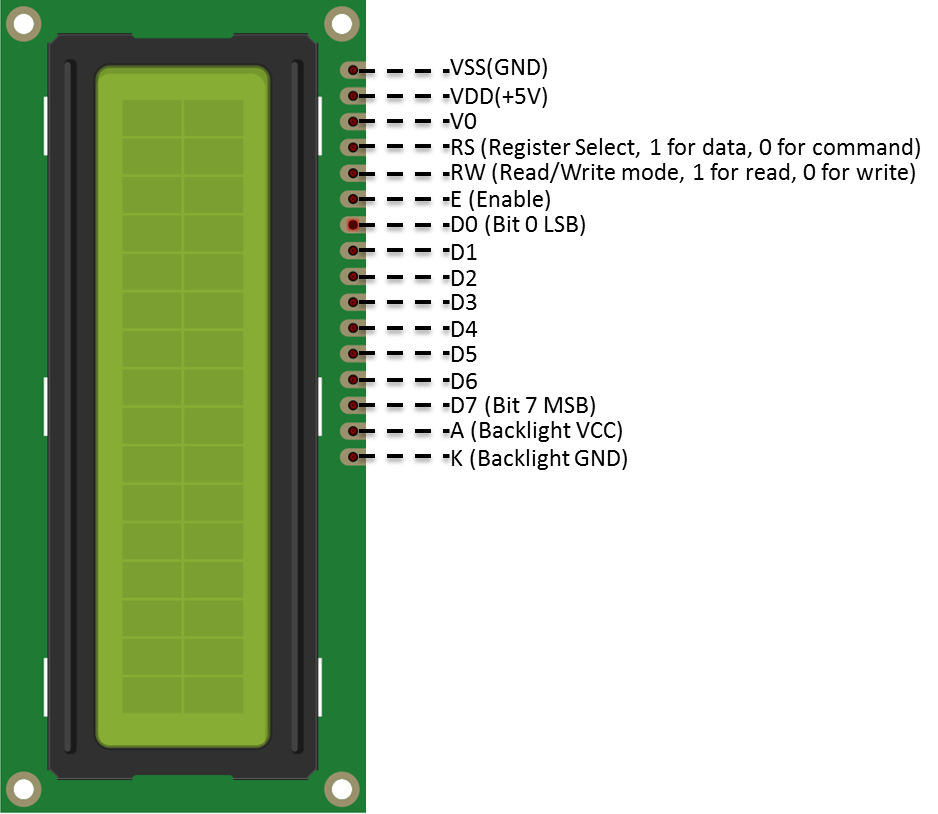
The required settings of each model of LCD might be different, the constructor we use in this example is:
LiquidCrystal_I2C(uint8_t lcd_Addr, uint8_t En, uint8_t Rw, uint8_t Rs,
uint8_t d4, uint8_t d5, uint8_t d6, uint8_t d7,
uint8_t backlighPin, t_backlighPol pol);
And the setting parameters are as follows:
LiquidCrystal_I2C lcd(0x27, 2, 1, 0, 4, 5, 6, 7, 3, POSITIVE); // Set the LCD I2C address
The first parameter 0x27 is the address of I2C. Each of the following 8 parameters represents the meaning of each bit in a byte, i.e., En is bit 2, Rw is bit 1, Rs is bit 0, d4 is bit 4, and so forth.